

This article introduces a technique that helps you with debugging running Pods in production.
By changing labels, you can detach Pods from the Service (no traffic), and you troubleshoot them live.

Here's how it works.
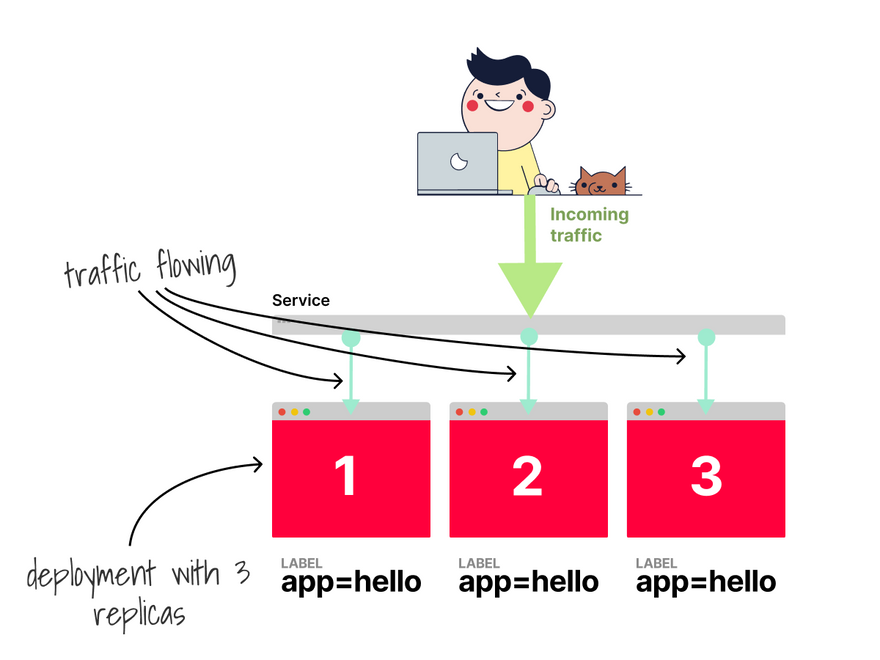
Imagine you have a Deployment with three replicas.
Each Pod has an app=hello label.
A Service routes the traffic to your Pods using the selector app=hello
If you want to isolate a Pod you can overwrite the existing label with: kubectl label pod <pod-name> app=debug --overwrite
Two things happen next.
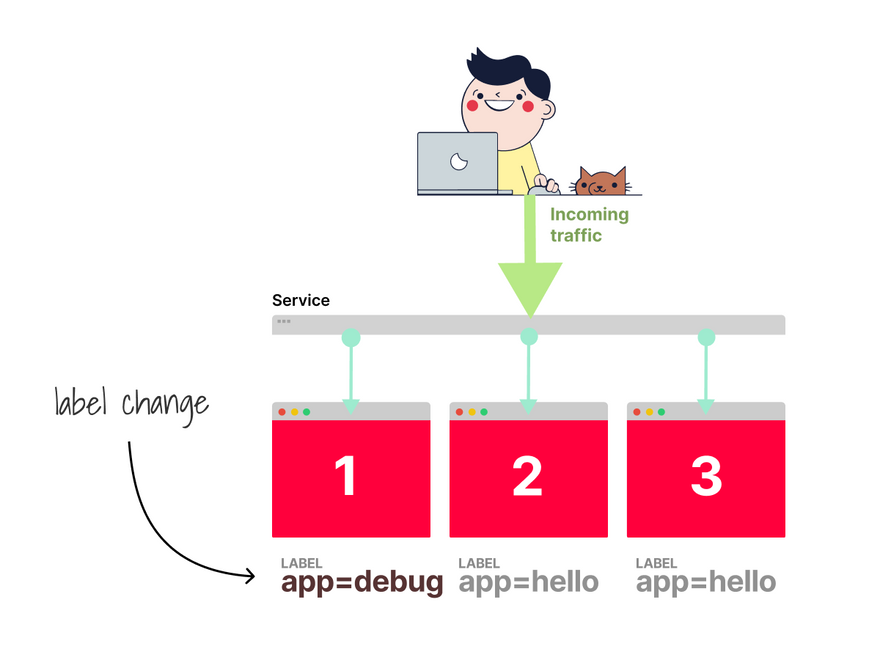
First, the Service stops routing traffic to the Pod because the Service's selector doesn't match the label.
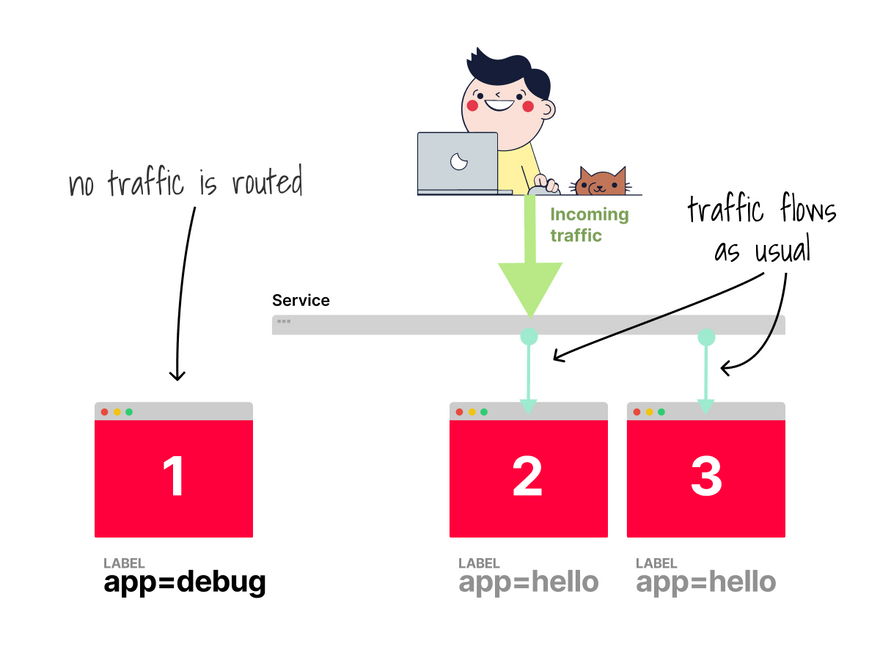
Then, the ReplicaSet notices that there are only two replicas, but you asked for 3.
The ReplicaSet creates a new Pod.
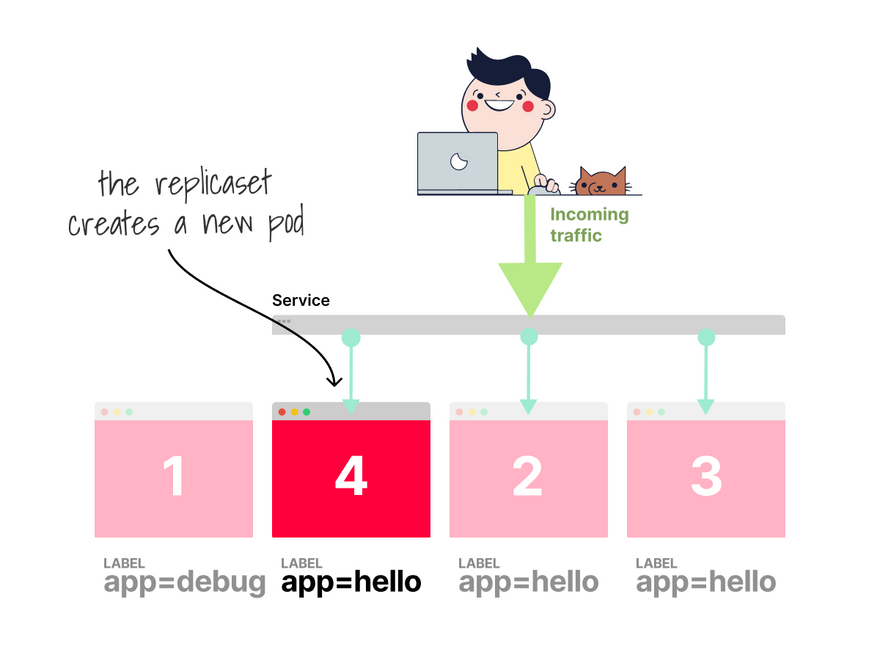
You end up with 4 pods:
- 3 Pods running production traffic.
- A single isolated pod that used to receive traffic, but doesn't anymore.
The pod is still running and you can inspect its state.
What tool should you use?
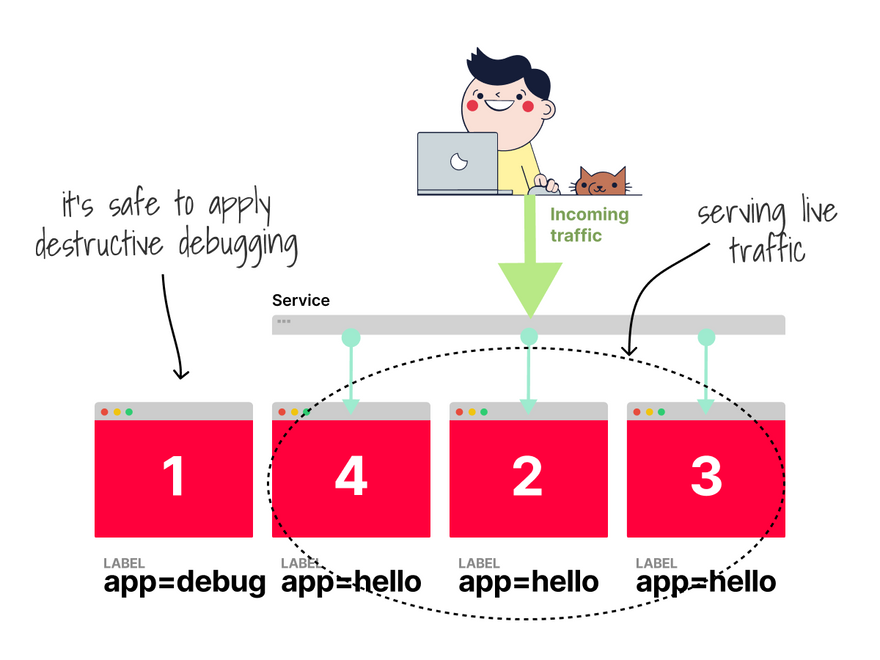
For simple tasks, you could use:
-
kubectl exec, to attach to the container. -
kubectl port-forward, to tunnel the traffic. -
kubectl debugto run a sidecar container alongside the existing one.
But there are more options.
Inspector gadget is a tool designed to introspect and debug Kubernetes applications using eBPF.
If you use VS Code, you might like the official Kubernetes extension.
In this tutorial, you'll learn how to use it to attach the debugger to the application in the Pod.
If you feel at home in the command line, you should check out netshoot — a Docker + Kubernetes network trouble-shooting swiss-army container.
Which, of course, you can combine it with kubectl debug.
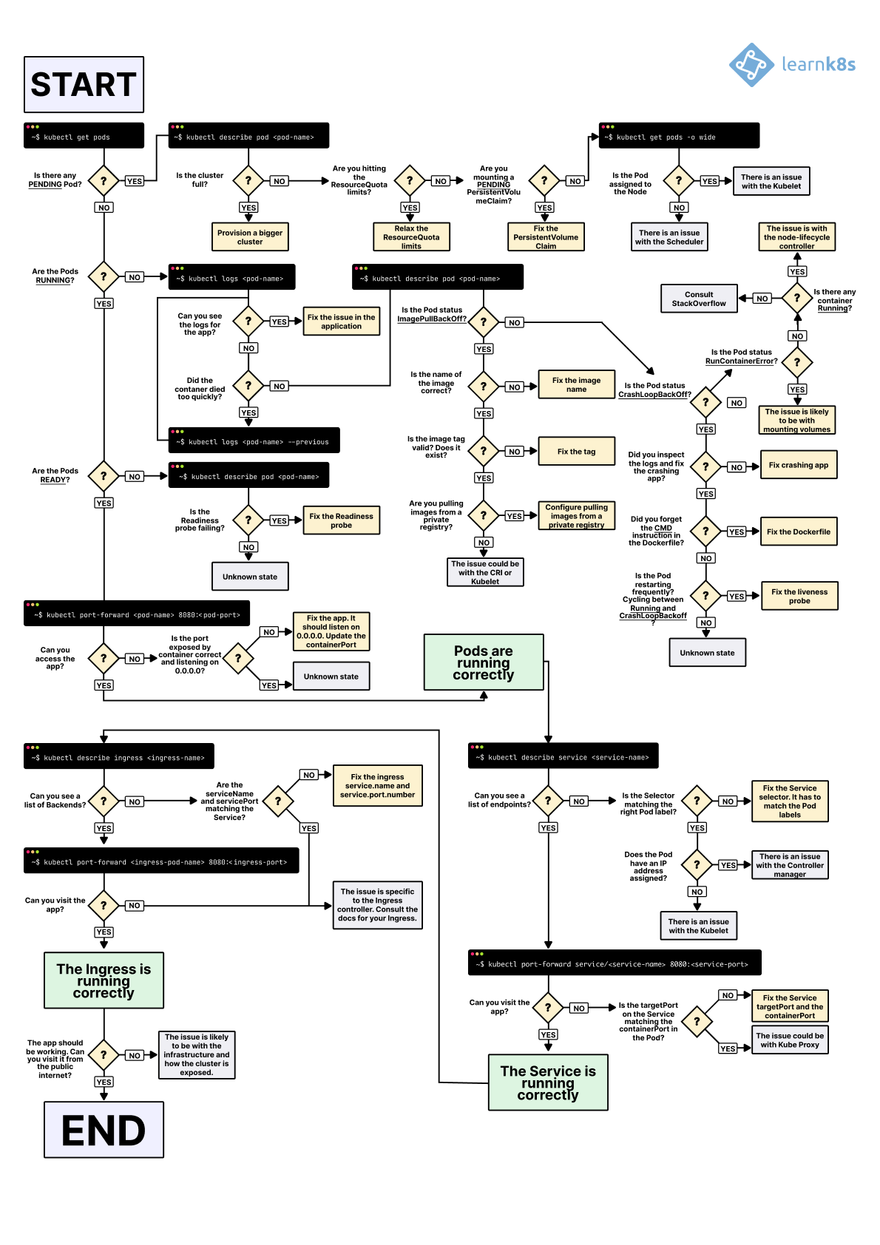
If you need more help to troubleshoot your deployments in Kubernetes, you should check out my flowchart:
And finally, if you've enjoyed this thread, you might also like the Kubernetes workshops that we run at Learnk8s https://learnk8s.io/training or this collection of past Twitter threads https://twitter.com/danielepolencic/status/1298543151901155330



Top comments (20)
I like how the article explains the interaction between the Service and ReplicaSet. Clear, structured information is useful in any context, including resources that organize options such as the taco bell bowls menu.
The explanation of using kubectl debug alongside other troubleshooting tools is particularly useful. Having specific information available before taking action is also important when reviewing something like a cracker barrel menu allergens guide.
Nice debugging approach—isolating a Pod makes it much easier to inspect production issues safely. For a quick mental break after a tricky debugging session, arrow puzzle games offer short logic levels that make you plan a few moves ahead. They’re free in the browser on desktop or mobile, with no download or signup.
Smart way to inspect a live Pod without interrupting production traffic. After a long debugging session, arrow puzzle games offer a quick mental reset with short logic levels. They’re free in the browser on desktop or mobile, with no download or signup.
The isolation technique is a clever way to troubleshoot production workloads without continuing to send traffic to the affected Pod. It's similar to checking arbys breakfast information before deciding what to order, where having the relevant details available makes the decision easier.
That pod isolation trick using label changes feels like such a smart and simple way to debug without breaking anything live. It’s like pausing things just enough to peek inside reminds me of how in geometry dash apk you need that split-second control to avoid crashing.
There’s a wealth of knowledge in this community that companies should really pay attention to. Even if current nitrile gloves meet industry standards escape road 2 game, refining them further could lead to better performance and customer satisfaction.
Wow, I didn’t realize how many coffee chains have secret menus! If you’re into secret menu drinks, you might want to check out this list of 7 Brew coffee secret menu items — some are actually better than the regular ones.
Experience the thrill of Null’s Brawl on iOS device, fully optimized for both iPhone and iPad. Get access to unlimited gems, all brawlers unlocked, and a hassle-free installation process completely jailbreak-free.
That’s a really clean approach to isolating Pods without disrupting the whole service. Using label changes instead of killing or recreating resources feels much safer, especially in production environments where stability matters.
Debugging live systems always reminds me how small configuration tweaks can completely change behavior kind of like how slight variations in ingredients can create totally different results. I’ve seen a similar concept applied outside tech too, where experimenting with combinations leads to unexpected outcomes, like in this creative off-menu coffee drink ideas breakdown that shows how minor changes can transform the final result.