

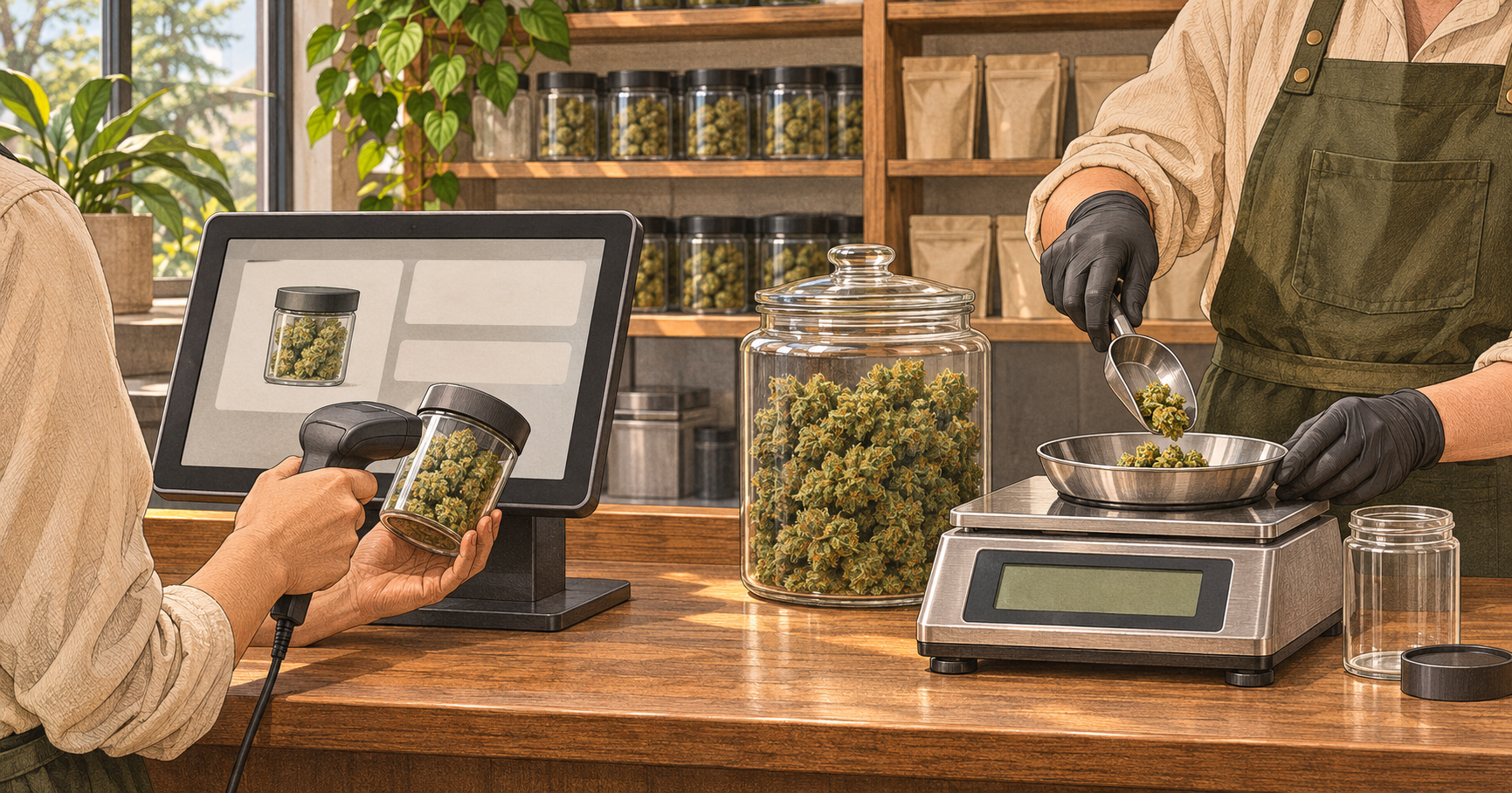
A budtender scans a prepared flower package. At another counter, an employee weighs flower from bulk stock, prepares the customer’s container, and enters the quantity for sale. Both transactions sell flower, but the work behind them differs.
For Oregon dispensary operators, the comparison starts with where measurement, packaging, and inventory changes occur. Prepacked flower moves some preparation ahead of checkout. Deli-style service places weighing within order preparation. Neither arrangement removes the need to verify what was received and sold.
When evaluating IndicaOnline cannabis software in Oregon, ask the vendor to demonstrate both workflows using your proposed setup. Follow the stock from receiving through sale and reconciliation. Compare the actions employees perform and the records managers can inspect afterward.
Start with how flower enters the inventory
For prepacked flower, inspect the received package variant, quantity, and associated weight information. Confirm whether the receiving field represents individual retail units or another quantity.
For bulk flower, inspect the recorded weight and its connection to the physical stock. Establish how staff identify the source record when preparing an order.
A correct product name does not establish a correct inventory connection. Similar flower descriptions can conceal different packages or receiving records. Check those relationships before stock becomes available for sale.
Separate the product listing from the source package
A catalog listing describes the product. A consumer container holds the purchased flower. A package record in the tracking workflow identifies inventory associated with its own reference.
Do not assume those concepts map directly to each other. Ask the vendor to show which source record supports a prepared retail pack or a weighed portion.
Compare scanning a pack with weighing an order
A prepacked workflow may involve selecting the correct variant, scanning its code, and confirming quantity. Verify that the scan identifies the intended product and weight rather than relying on similar packaging.
A deli-style workflow requires staff to establish the quantity being sold during preparation. Inspect how the weight reaches the POS and how the employee confirms it.
Avoid assuming that either workflow is always faster. Compare the actual preparation and checkout steps, including corrections, equipment handling, and the information needed to complete an order.
Check tare and the weight passed to the POS
Oregon’s Department of Agriculture explains the difference between net product weight and packaging weight, or tare, in its guidance on operating a scale. It describes checking tare by placing the empty container on the scale and confirming a zero reading before filling it.
Use that distinction when evaluating the weighing process. The quantity recorded for the flower should exclude its container. Confirm whether weight transfers automatically or is entered manually, and compare the scale display with the POS record.
Make price rules match the selling method
A prepared package may have a price attached to its specific variant. A weighed order needs a clear relationship between the measured quantity and the selling price.
Ask the presenter to change the quantity and explain the resulting calculation. If the store uses quantity-based price levels, inspect which rule applies and how staff recognize it.
Test a discount separately. Confirm whether it applies to the selected package, the weighed line, or the cart. Keep the expected result written down so an unfamiliar calculation does not become accepted merely because the screen displays it.
Account for when packaging and labeling happen
Prepared flower can arrive ready for retail handling or be packaged by the store before checkout. Deli-style preparation places packaging activity within the order workflow.
Identify who prepares the container, checks the product information, and confirms that the packaging and labeling follow the applicable procedure. Include the equipment, supplies, and work area that each process needs.
A printed label alone does not demonstrate that the underlying product information is correct. Inspect the connection between the flower selected, its measured or recorded quantity, and the information produced for the customer.
Follow the inventory deduction through each workflow
For prepacked sales, ask how a sold retail unit affects its associated inventory records. Check both the unit count and the weight information used by the system.
For deli-style sales, follow the weighed portion back to its source balance. Confirm how the remaining stock is represented after the sale.
Trace the deduction to the source record as well as the overall product total. A plausible total can hide an incorrect package connection or a movement recorded against the wrong stock.
Avoid counting bulk flower and prepared packs twice
If staff prepare retail packs from bulk flower, ask how that preparation is recorded. Establish when the source quantity changes and when the prepared units become available.
Check that the same flower has not remained fully available in bulk while also appearing as ready-to-sell packs. Then verify that selling a prepared pack does not cause an unintended additional deduction.
Compare online availability and order picking
For prepacked flower, test whether the menu offers the correct package variant and reserves the quantity needed for an accepted order.
For deli-style flower, inspect how the requested quantity is reserved and what happens if the final prepared amount differs. Ask how staff communicate an unavailable quantity or proposed change.
Do not assume that all POS systems reserve stock at the same stage. Follow the order through submission, acceptance, picking, and completion, checking availability at each relevant step.
Reconcile remaining packs and bulk weight separately
Prepared stock may be checked through a retail-unit count alongside its associated inventory records. Bulk stock requires a physical weight comparison using the appropriate procedure.
When a difference appears, review receiving, sales, preparation activity, and documented movements. Do not automatically attribute a shortage to changes in the flower itself.
Keep the evidence connected to the affected inventory. An adjustment that makes the total match without explaining the cause can leave the same error ready to recur.
Compare the operational tradeoffs side by side
Use a comparison sheet that reflects the work your store would perform.
| Area | Prepacked workflow | Deli-style workflow |
|---|---|---|
| Receiving | Verify retail variants and quantities | Verify source stock and weight |
| Checkout | Identify the prepared pack | Confirm the weighed portion |
| Equipment | Check scanning and product identification | Check weighing and weight entry |
| Packaging | Review preparation before sale | Review preparation during order assembly |
| Online picking | Match the ordered pack variant | Confirm the requested quantity |
| Reconciliation | Inspect unit counts and source records | Compare remaining weight and movements |
Include preparation work in the comparison. Moving a task away from the register changes where staff perform it; it does not necessarily eliminate the task.
Test both workflows before choosing the configuration
Use demonstration data or a test environment where available. Receive sample stock, complete a sale, change an order, and inspect the resulting inventory.
Choose the configuration your team can operate and verify. Have the employees responsible for preparation, checkout, and reconciliation repeat the relevant steps. Record unresolved questions about equipment, source-package connections, and availability, then request a follow-up demonstration that addresses those exact gaps.



Top comments (0)