

Most upload forms tell you their limits in small grey text, and you find out you missed one only after the upload fails or the tool rejects the file. For media tools that take two inputs at once, that gets old quickly. This post is a small preflight script for one such tool, AngryDance, which turns a character photo plus a dance reference video into a short dance clip. The same pattern works for any service that publishes file limits: write the limits down once, check locally, and only then open the browser.
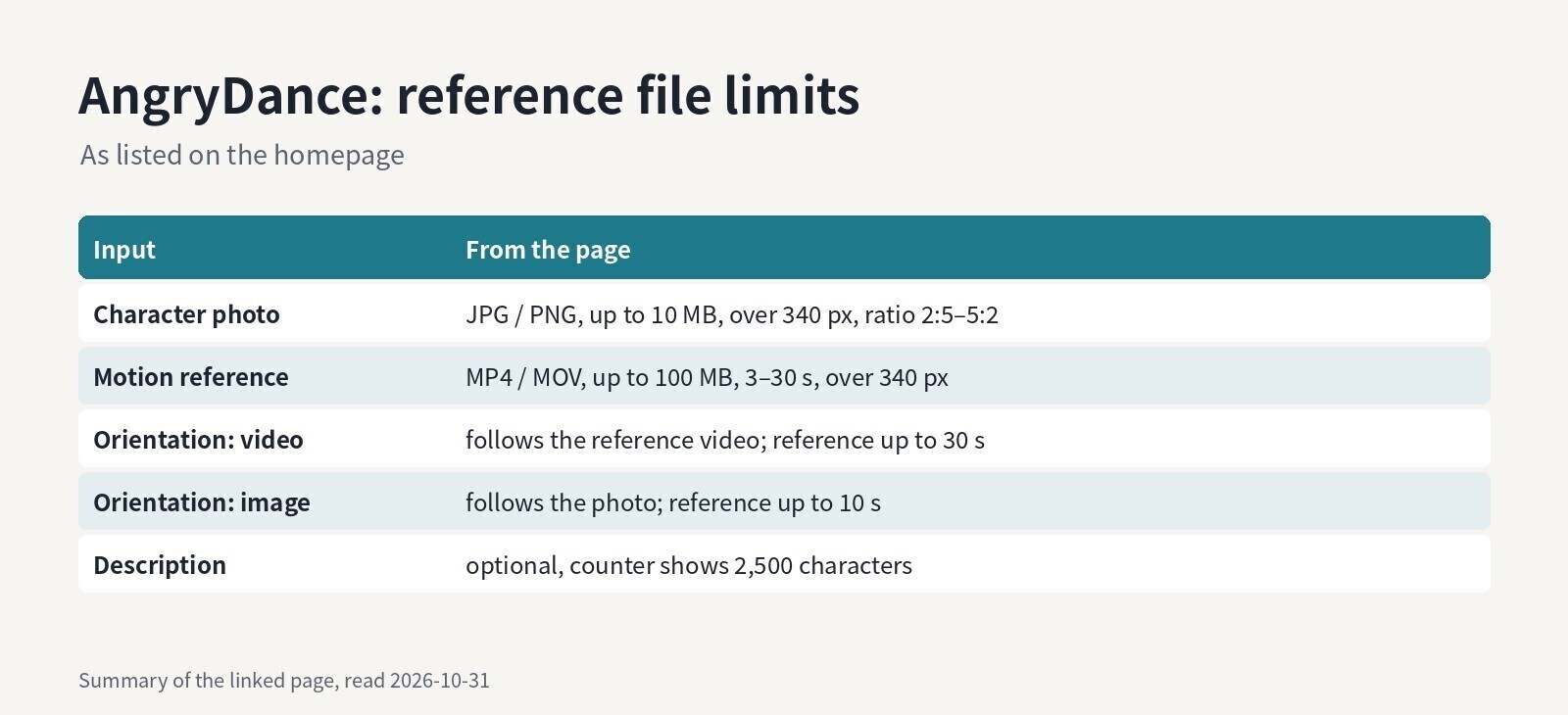
Summary of the limits listed on the linked AngryDance page (read 2026-10-31)
The limits, as listed on the page
The homepage lists these constraints next to the two upload boxes and in its FAQ:
- Character photo: JPG or PNG, up to 10 MB, over 340 px, aspect ratio between 2:5 and 5:2.
- Motion reference: MP4 or MOV, up to 100 MB, 3–30 seconds, over 340 px.
- Character orientation: "follow motion video" supports a reference up to 30 seconds; "follow character image" supports up to 10 seconds.
- Output: 720p or 1080p, with a credit quote shown before generating.
The orientation rule is the one people tend to trip on: a 14-second clip is fine in one mode and too long in the other. The page says "over 340 px" without naming a side, so the script below applies it to both width and height, which is the stricter reading.
The workflow
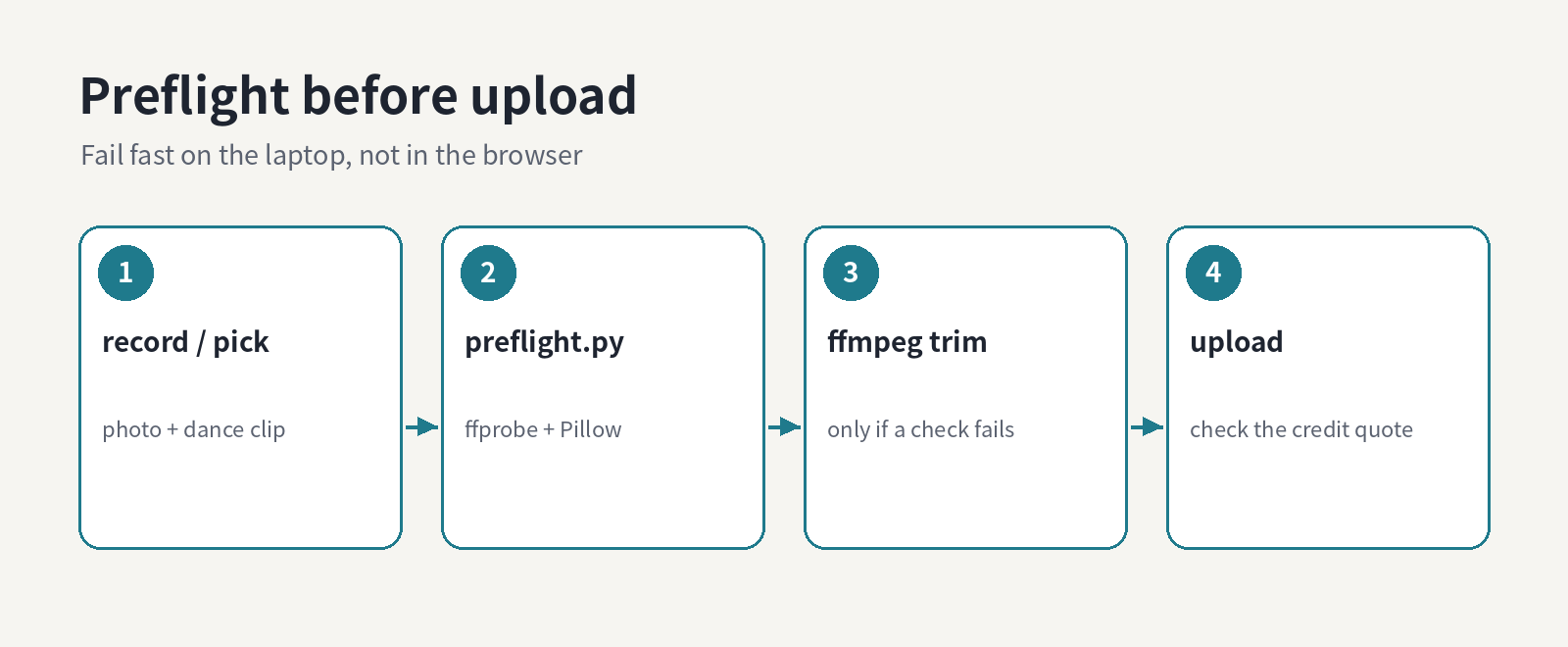
Self-made diagram: check locally, trim only if needed, then upload
Nothing clever here: ffprobe reads the video's dimensions and duration, Pillow reads the photo's dimensions, and plain Python compares them with the numbers above. ffmpeg is only needed if something fails.
The script
#!/usr/bin/env python3
"""Usage: python preflight.py PHOTO VIDEO [video|image]"""
import json, os, subprocess, sys
from PIL import Image

MB = 1024 * 1024
MIN_PX = 340

def check_photo(path):
    problems = []
    ext = os.path.splitext(path)[1].lower()
    if ext not in (".jpg", ".jpeg", ".png"):
        problems.append(f"photo: {ext} is not JPG/PNG")
    if os.path.getsize(path) > 10 * MB:
        problems.append("photo: larger than 10 MB")
    w, h = Image.open(path).size
    if min(w, h) <= MIN_PX:
        problems.append(f"photo: {w}x{h}, both sides should be over {MIN_PX} px")
    if not 2 / 5 <= w / h <= 5 / 2:
        problems.append(f"photo: aspect {w}:{h} is outside 2:5 to 5:2")
    return problems

def probe(path):
    out = subprocess.run(
        ["ffprobe", "-v", "error", "-select_streams", "v:0",
         "-show_entries", "stream=width,height:format=duration",
         "-of", "json", path],
        capture_output=True, text=True, check=True).stdout
    info = json.loads(out)
    stream = info["streams"][0]
    return stream["width"], stream["height"], float(info["format"]["duration"])

def check_video(path, orientation):
    problems = []
    ext = os.path.splitext(path)[1].lower()
    if ext not in (".mp4", ".mov"):
        problems.append(f"video: {ext} is not MP4/MOV")
    if os.path.getsize(path) > 100 * MB:
        problems.append("video: larger than 100 MB")
    w, h, dur = probe(path)
    if min(w, h) <= MIN_PX:
        problems.append(f"video: {w}x{h}, both sides should be over {MIN_PX} px")
    max_len = 30 if orientation == "video" else 10
    if not 3 <= dur <= max_len:
        problems.append(f"video: {dur:.1f} s, needs 3-{max_len} s "
                        f"for {orientation} orientation")
    return problems

if __name__ == "__main__":
    photo, video = sys.argv[1], sys.argv[2]
    orientation = sys.argv[3] if len(sys.argv) > 3 else "video"
    problems = check_photo(photo) + check_video(video, orientation)
    print("\n".join(problems) if problems else "OK: references fit the listed limits")
    sys.exit(1 if problems else 0)
It exits non-zero on any problem, so it drops into a Makefile, a pre-commit hook or a CI job that prepares assets for a batch of clips.
A sample run
With a 1080x1920 JPG and a 14-second 1080x1920 MOV:
$ python preflight.py me.jpg dance.mov video
OK: references fit the listed limits

$ python preflight.py me.jpg dance.mov image
video: 14.0 s, needs 3-10 s for image orientation
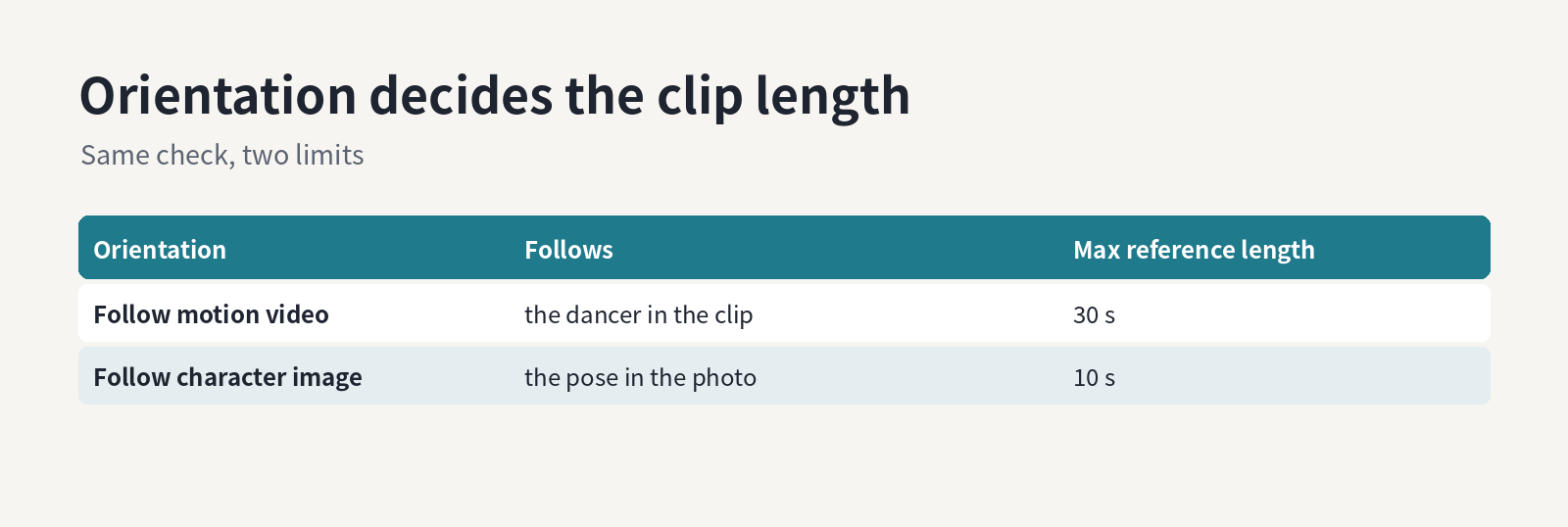
Self-made diagram: the two orientation modes and their reference length limits
Same files, different verdict, purely because of the orientation choice. That is exactly the kind of thing that is easy to forget in the browser.
Fixing a clip that is too long
Trim the part of the dance you actually want. Re-encoding gives a frame-accurate cut, and +faststart keeps the MP4 friendly for web upload:
ffmpeg -ss 2 -i dance.mov -t 9.5 \
  -c:v libx264 -crf 18 -preset medium -c:a aac \
  -movflags +faststart dance-image.mp4

python preflight.py me.jpg dance-image.mp4 image
# OK: references fit the listed limits
If the file is over 100 MB rather than too long, raising -crf (for example to 23) usually shrinks it a lot; check the result by eye, because a blurry reference makes the movement harder to read.
One caveat: phones often store portrait video as landscape frames plus a rotation flag, so ffprobe may report the dimensions swapped. For the 340 px check that does not matter, but keep it in mind if you extend the script to compare aspect ratios.
Checking a whole folder
If you prepare several pairs at once, for example one dance reference reused with a few different character photos, a shell loop is enough. The script's exit code tells you which pairs need work, and nothing gets uploaded until every line says OK:
for photo in photos/*.jpg; do
  printf '%s: ' "$photo"
  python preflight.py "$photo" dance-image.mp4 image
done
Keep the trimmed clip next to the original in the same folder and name it after the orientation it was cut for. When you come back a week later, dance-image.mp4 versus dance.mov tells you which mode each file was prepared for without re-running anything.
What the script cannot check
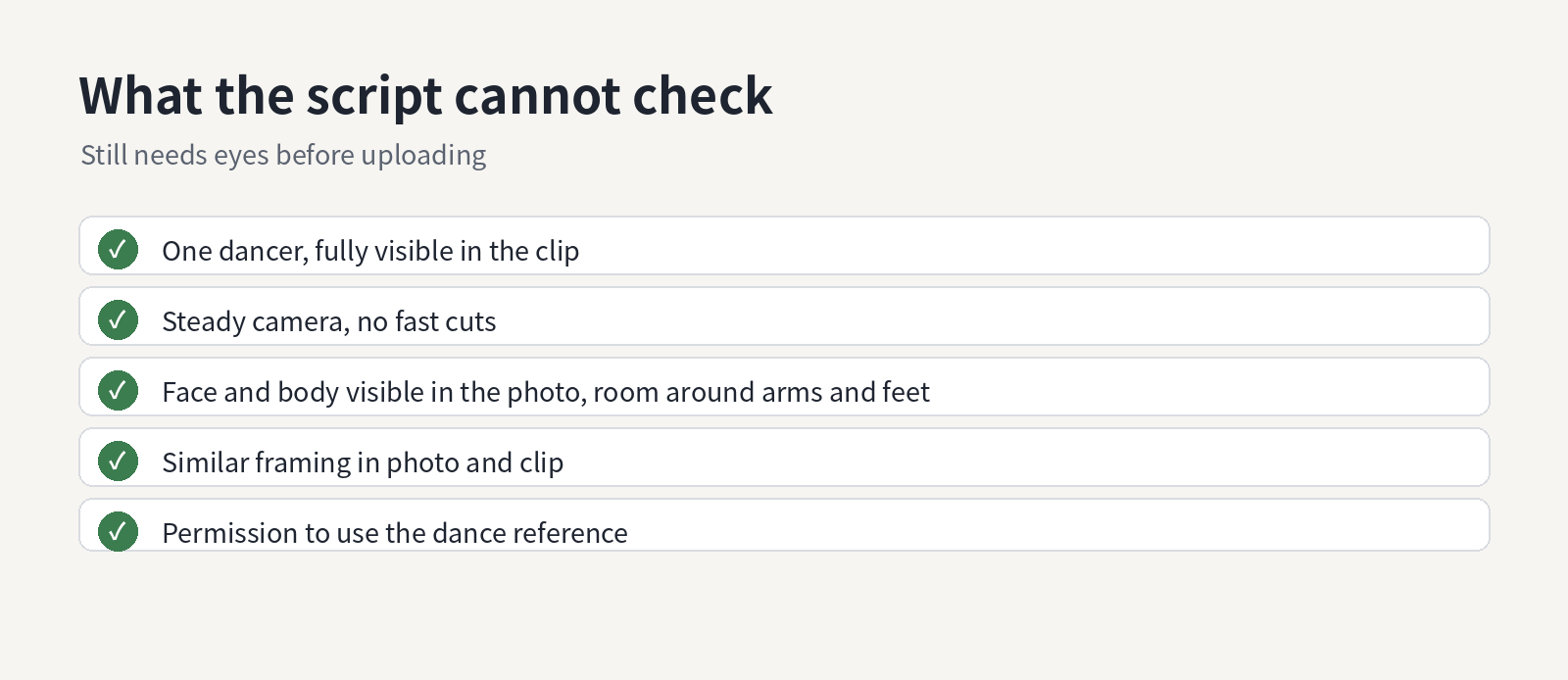
Self-made diagram: checks that still need a human before uploading
The page's own advice is mostly about content, not file properties: a clear photo with the face and body visible and room around the arms and feet, a dance clip with a readable sequence of gestures and steps, similar framing between the two, and a reference you have permission to use. None of that is measurable with ffprobe. The description field is optional too; the page suggests a few words about expression rather than describing every move.
After uploading, the composer shows a credit quote for the inspected video and selected quality, and the finished take can be previewed before downloading. The page recommends changing one reference at a time when comparing versions, which is the same discipline as changing one variable at a time when debugging.
Wrap-up
Two files, a handful of limits, one mode-dependent rule. Encoding those limits in thirty lines of Python means the browser upload is the last step instead of the first test.



Top comments (0)